
Tailwind Weekly #226: Taming Tailwind Chaos, Browser Console Tricks, and Dialog Animations at Last 🤩
Hello folks!
This week is all about keeping things tidy! We've got five habits that stop your Tailwind codebase from turning into a pile of p-[123px] classes, a browser console guide that taught me a few tricks I'd never tried, and the CSS setup that finally lets you animate a <dialog> in and out of display: none. Plus a color contrast tool that grades your combos for a dozen vision conditions, which is going straight into my bookmarks 🎨.
Let's dive in 👇
🤩 Windy Picks
Me, again 🙋🏻♀️
Still looking for a full-time role, still open to freelance projects. 12 years of front-end work, plus full stack in Laravel, Vue, and React. On the Tailwind side: I run this newsletter, a design-to-Tailwind service at design2tailwind.com, and client work for Baselair and FLX Websites.
I've worked every layer of the stack. On Baselair I built the Tailwind/Vue front-end, the Laravel backend behind it (auth, profiles, project uploads, the challenges and posts system), the image pipeline that handles a feed full of high-res photos, and the server and deploy setup that keeps the whole thing running. You can hand me a Figma and a spec and I can take it from idea to launch on my own. I've worked async with US and European teams for years, and I'm on AST so overlap is easy. Email me at vivian@redpixel.io and let's chat 🙂.
📚 Learning

5 best practices for preventing chaos in Tailwind CSS
Nina Torgunakova from Evil Martians lays out the habits that keep a Tailwind codebase readable once it grows past a handful of components. She opens with two prerequisites: a design system with real tokens, and a component-based setup. Miss either one and you end up writing p-[123px] mb-[11px] across your files with no way to change anything in one place. The five practices cover writing fewer classes (py-4 over pt-4 pb-4, border-black/50 instead of the separate opacity utility), grouping tokens by category in your @theme block, letting the Prettier plugin handle class order, and replacing arbitrary className props with a fixed set of variants so a Button looks the same everywhere. She also explains why @apply costs you more than it saves, including the @reference import v4 requires inside CSS Modules or a scoped Vue/Svelte/Astro <style> block. Evil Martians packaged the whole guide as an agent skill if you want your editor catching these for you.
How To Use The Browser Console: An In-Depth Guide
I use the console every day and this guide from Matt Zeunert still showed me a handful of things I'd never tried. It covers the basics first (opening DevTools, filtering messages, reading stack traces) then gets into console.table for big arrays, console.count for tracking how often something fires, and monitorEvents for logging every event on a DOM node. My favorite is the setTimeout plus debugger snippet that freezes the page after 5 seconds, so you can inspect dropdowns and tooltips that vanish the second you click into DevTools. The Console Utilities API section is worth a read too: $0, copy(), $_, and getEventListeners all save you from writing throwaway code.
CSS 20 years in the making?
Animating a <dialog> in and out of display: none is now doable, and Chris from Coding in Public shows the whole setup. You need transition-behavior: allow-discrete, transitions on display and overlay, and a @starting-style block so the browser knows where to begin. He does the same for ::backdrop so it fades with the dialog instead of snapping in. One gotcha: @starting-style has to sit last in the block or the cascade eats it. Older browsers fall back to the default dialog behavior, so you can ship this today.
💅 Showcase
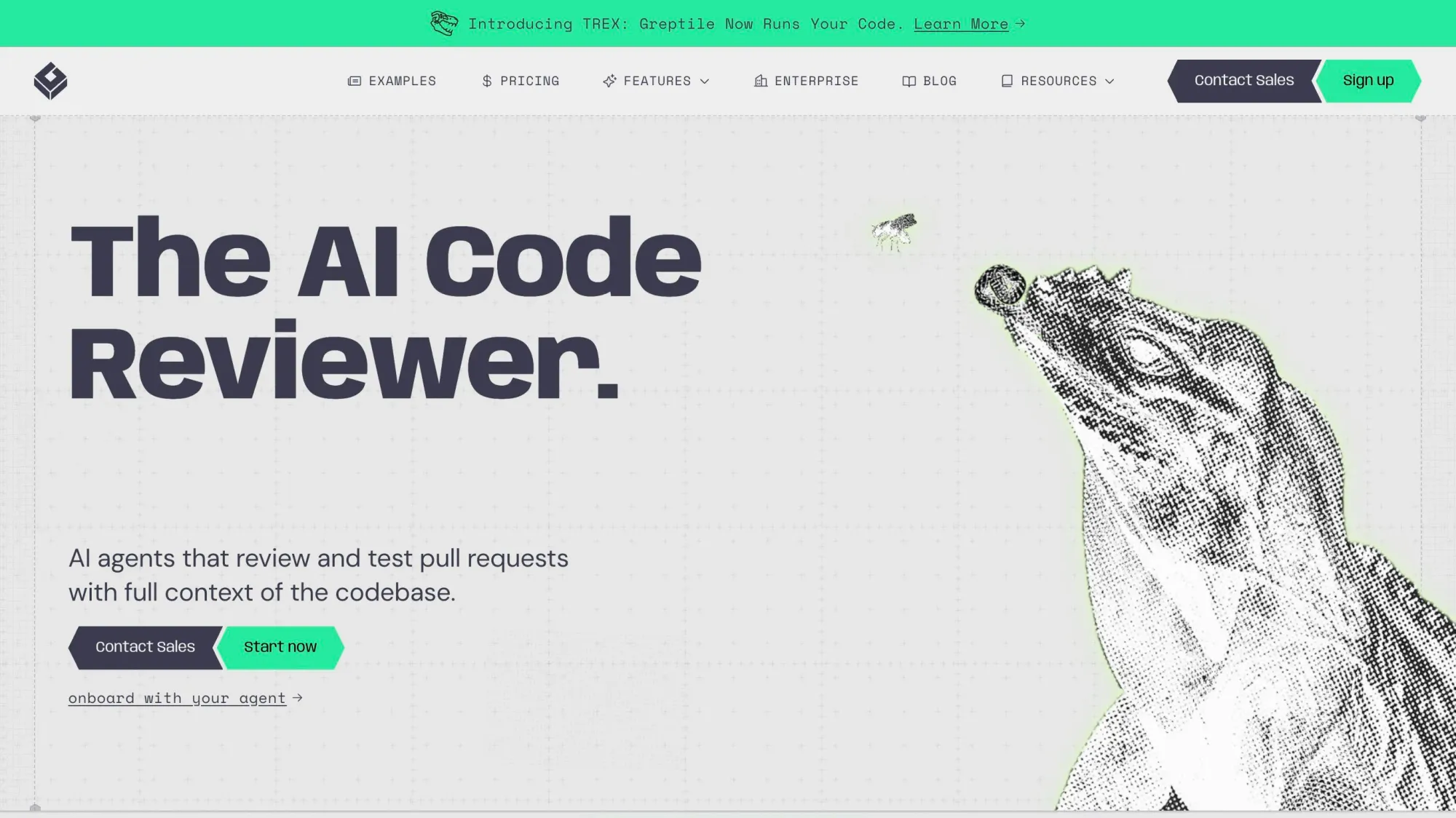
Greptile
Greptile is an AI code review platform that adapts to your team by enforcing repo-specific standards in plain English and learning from your PR history to deliver consistently useful feedback on every pull request. With TREX, it can autonomously write and run tests for each PR in a sandbox to catch bugs and edge cases before they ship.
🎁 Resource
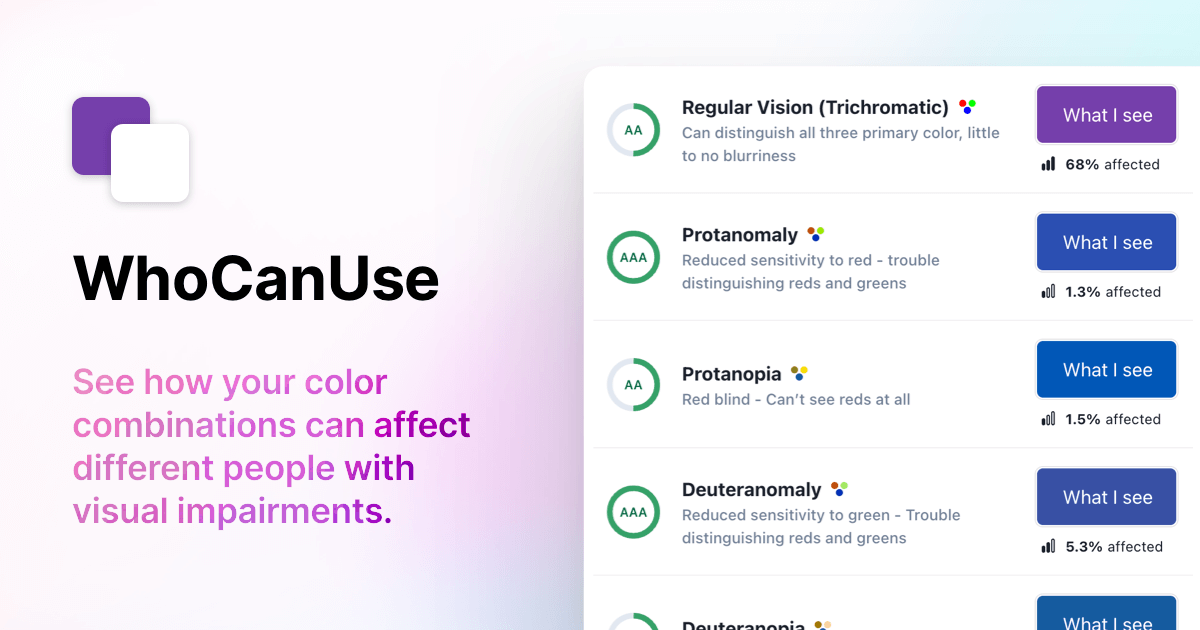
WhoCanUse
Drop in a background and text color and this tool grades the combination against WCAG for a dozen different vision conditions: protanopia, deuteranopia, tritanomaly, cataracts, glaucoma, low vision. Each row gives you a preview of what the pair looks like to someone with that condition, plus the share of people affected. It also covers direct sunlight and night shift mode, which I never think to test for. The cataracts row sits at 33% affected, so a combo that passes AAA for regular vision can still drop to AA for a third of your readers. Worth bookmarking for your next round of color picking.
👌 Cool Stuff
Windybase - Explore weekly curated free & premium Tailwind templates, components, and tools to help you build modern websites and apps fast.
Inertia UI – Laravel-first Inertia tables & forms, defined once in PHP, rendered in Vue 3 or React 19 without duplication.
Executor – An MCP gateway that unifies every tool behind one endpoint and schema, keeping agent context lean and calls safe.
Picmal – Convert, compress, and edit images, video, audio, and PDFs on your Mac—100% offline, no uploads or accounts.
Do you want to share something with the Tailwind CSS community?
You can submit a link or message me on Twitter @vivgui.
Want to support the newsletter? You can buy me a coffee with this link 😁.

Discussion