
Tailwind Weekly #220: Relative colors land in CSS, smarter logging with wide events, and picking the right icons 🎨
Hello folks!
Slightly quieter week on the news front, nothing major to report, but still got some great resources for you. We've got CSS relative colors that feel borderline like cheating once they click, a logging article that'll hit a little too close to home if you've ever grep-ed through prod at 2am, and a handy guide on picking icons that don't make your UI look like a ransom note. Throw in a slick UX research platform and a shadcn extension you'll want in your editor, and you're all set.
Let's dive in 👇
🤩 Windy Picks
Wispr Flow has been my daily driver for a while now, but the dev-focused angle is what makes it so good. I pair it with Claude Code and Solo and just talk through what I want—Flow handles the camelCase, the snake_case, the acronyms, and dev terms like Supabase or MongoDB without mangling them. No more fixing transcription mistakes on every variable name.
The best part is how it stays out of the way. It works in any app—editor, browser, Slack, ChatGPT, Claude—so I can dictate a detailed prompt, knock out a PR summary, or fire off a quick reply from my phone without switching tools or breaking flow. It learns your vocabulary too, so the weird product names and project-specific words you say constantly stop getting misspelled.
If you spend your day typing prompts and context into AI tools, talking is just faster, and WisperFlow is the first dictation app I've used that actually keeps up with how developers write.
Try it free, and it works on macOS, Windows, iPhone, and Android, so you can flow wherever you code.
📚 Learning
Logging Sucks - Your Logs Are Lying To You
If you’ve ever spent way too long grep-ing through “INFO request completed” logs at 2am only to come out with more questions than answers, this article will feel painfully familiar. It argues (pretty convincingly) that most logs aren’t “bad”, they’re just missing the one thing you actually need when prod breaks: context. The author explains why string search and scattered log lines don’t scale in a world where one request fans out across services, then introduces the idea of “wide events” / canonical log lines (one rich, structured event per request per service) and why that mental model is a game-changer compared to sprinkling more log statements or assuming OpenTelemetry will save you. It also gets practical with an implementation pattern (build the event as the request flows, emit once at the end) and tackles the cost concern with tail sampling rules (keep errors, keep slow requests, keep VIPs, sample the rest).
Tips on How to Pick the Right Icons for Your Website
There are a ton of icon packs out there and this article is basically a sanity guide for choosing icons that don’t make your UI look like a random collage. It walks you through how to pick icons that actually communicate the right idea (and when you should label them because icons are not as universal as we think), plus the practical consistency checks that matter: outline vs solid, stroke widths, monochrome vs multicolor, sizing/ratios, and matching style so everything “belongs” together. It also gives a straightforward strategy for staying consistent by sticking to a single set (or using a library that lets you filter by style) and even touches on keeping a shared color palette if you go the colored-icon route.
Relative colors are HERE!
The new relative color syntax in CSS is one of those features that feels like cheating once you get it. Chris from Coding in Public shows how to take any color, hex, HSL, OKLCH, doesn't matter, and use the from keyword to break it into its component channels, then tweak them however you like. Want a lighter variant of your base color? Just calc() against the lightness channel. Need it to stay in bounds? Wrap it in clamp() so it never blows past 100%. He covers the gotchas too, like how different color spaces treat their values differently (percentages in HSL vs. 0-to-1 ranges in OKLCH), and notes you'll always need all three channel values present even when hardcoding some. Support has been baseline since 2023 and sits around 87%, so a quick @supports query with a fallback has you covered.
💅 Showcase

uxmetrics
UX Metrics is a unified user-research platform that lets web developers spin up card sorts, tree tests, surveys, prototype tests, and interviews in minutes using AI-assisted setup and imports instead of manual wiring. Recruit participants however you ship—live intercepts in-product, targeted invites from your pool, or shareable links from any channel—while keeping all responses centralized for faster synthesis.
🎁 Resource
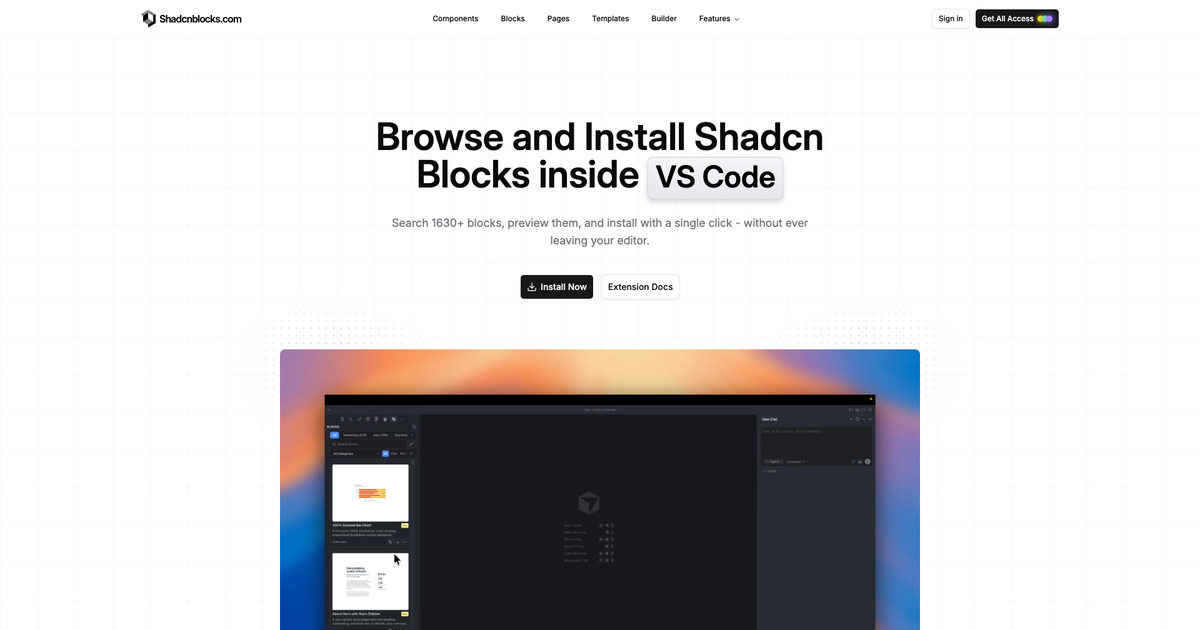
Shadcnblocks IDE Extension
If you’re building UI with shadcn a lot, this is a nice quality-of-life upgrade . It lets you browse a library of 1665+ production-ready blocks right from a sidebar in your editor, search and filter by category/archetype/keyword (and free vs pro), preview the full source code before you install, and then drop it into your project with a single click using the shadcn CLI under the hood, so there’s basically no manual setup.
👌 Cool Stuff
Windybase - Explore weekly curated free & premium Tailwind templates, components, and tools to help you build modern websites and apps fast.
Vira Theme – A multi-platform editor + terminal theme built for long coding sessions, with refined variants and synced settings.
ModelHub – A macOS menu bar app to browse, download, and manage local LLMs from Hugging Face, compatible with Ollama & more.
Sponsonizer – Like Calendly for newsletter ad slots. Sponsors pick a date, pay, and you collect the creative—no spreadsheets, no DMs, no 30% middleman.
Do you want to share something with the Tailwind CSS community?
You can submit a link or message me on Twitter @vivgui.
Want to support the newsletter? You can buy me a coffee with this link 😁.

Discussion