
Tailwind Weekly #222: eslint-plugin-tailwindcss Gets Smarter, DevTools Hidden Gems, and NuxtUI 🌟
Hello folks!
This week is all about quality-of-life upgrades 🛠️. eslint-plugin-tailwindcss got smarter at cleaning up arbitrary values, and Maizzle keeps polishing v6 with patch releases. On the learning side, you get DevTools hidden gems, tiny UI details that make interfaces feel finished, and a deep dive into CSS containment. Hoppscotch lands in the showcase, and NuxtUI is worth a look if you build with Vue.
PS: Personal note this week. I'm looking for a full-time position! I have 12 years of experience building for the web: front-end is my specialty (you know I live and breathe Tailwind CSS), and I also do full-stack work with Laravel, Vue, and React. I'm ready to join a team, so if you're hiring or know someone who is, reply to this email or DM me on Twitter @vivgui 🙏
Let's dive in 👇
🌟 News
Another eslint-plugin-tailwindcss update
The no-unnecessary-arbitrary-value rule got a lot smarter in this release. It used to flag only exact string matches, but now it resolves unit conversions and spacing configs, so inset-[1px] becomes inset-px, z-[123] becomes z-123, and m-[8px] becomes m-2. The fixers also respect the ! important modifier now. If arbitrary values keep sneaking into your codebase, this update will catch them for you!
More Maizzle goodies
Maizzle keeps shipping patch releases for v6! The latest, v6.0.5, fixes issues with the <Preheader> and <Outlook> components, and v6.0.4 lets you pass props to templates via render(). If you're building emails with Maizzle 6, update to the latest!
🤩 Windy Picks

I write most of my prompts by voice now, and Wispr Flow is the reason that works. Dictation tools break the moment you say useEffect or Supabase. Wispr Flow types them the way I would: variable names, acronyms, casing, the obscure package names I repeat ten times a day.
It also runs in every app I use. Same tool whether I'm prompting Claude Code, writing a PR description, or replying in Slack. No switching windows, no copy-pasting from a transcription pane. It learns your vocabulary too, so your project-specific terms stop needing corrections.
Once you talk through a detailed prompt instead of typing it, going back feels slow. If you spend your day feeding context into AI tools, this is the upgrade.
Try it free. Works on macOS, Windows, iPhone, and Android.
📚 Learning
Chrome DevTools Elements Panel Tips & Tricks
Chrome DevTools has a bunch of hidden gems in the Elements panel that most of us never touch, and this video from Zoran Jambor over at CSS Weekly walks through a few of the best ones. He covers holding Command (or Control) to hide that measurement popup when it's blocking what you're trying to see, using Shift to select elements with pointer-events: none, and my favorite" enabling "Emulate a focused page" so your dropdowns and autosuggestions don't vanish the second you click into DevTools.
Details That Make Interfaces Feel Better
This one is basically a checklist of tiny UI details that, when you add them up, make an interface feel noticeably more “finished” (even if users can’t explain why). It goes through practical stuff like improving text wrapping with text-wrap: balance and text-wrap: pretty, matching nested border radii with concentric offsets, making contextual icons feel snappier with opacity/scale/blur, fixing number-jitter with tabular-nums, and choosing transitions over keyframes when you want interruptible interactions.
What Is CSS Containment and How Can I Use It?
CSS containment is one of those performance features that sounds abstract until you see what it actually saves you, and this article does a great job making it click: it explains why browsers end up doing so much extra style/layout/paint work in busy UIs, then walks you through what each contain value really means (layout/paint/size/style, plus content and strict) and, more importantly, when it’s safe to use them on real components like drawers, cards, feeds, and third‑party widgets. The best part is that it doesn’t pretend it’s a free win: it calls out the gotchas that will bite you (clipping, zero-sized boxes, surprise stacking contexts, position: fixed behaving differently), and it ties everything into content-visibility and contain-intrinsic-size so you can skip off-screen work without rolling your own virtualization.
💅 Showcase
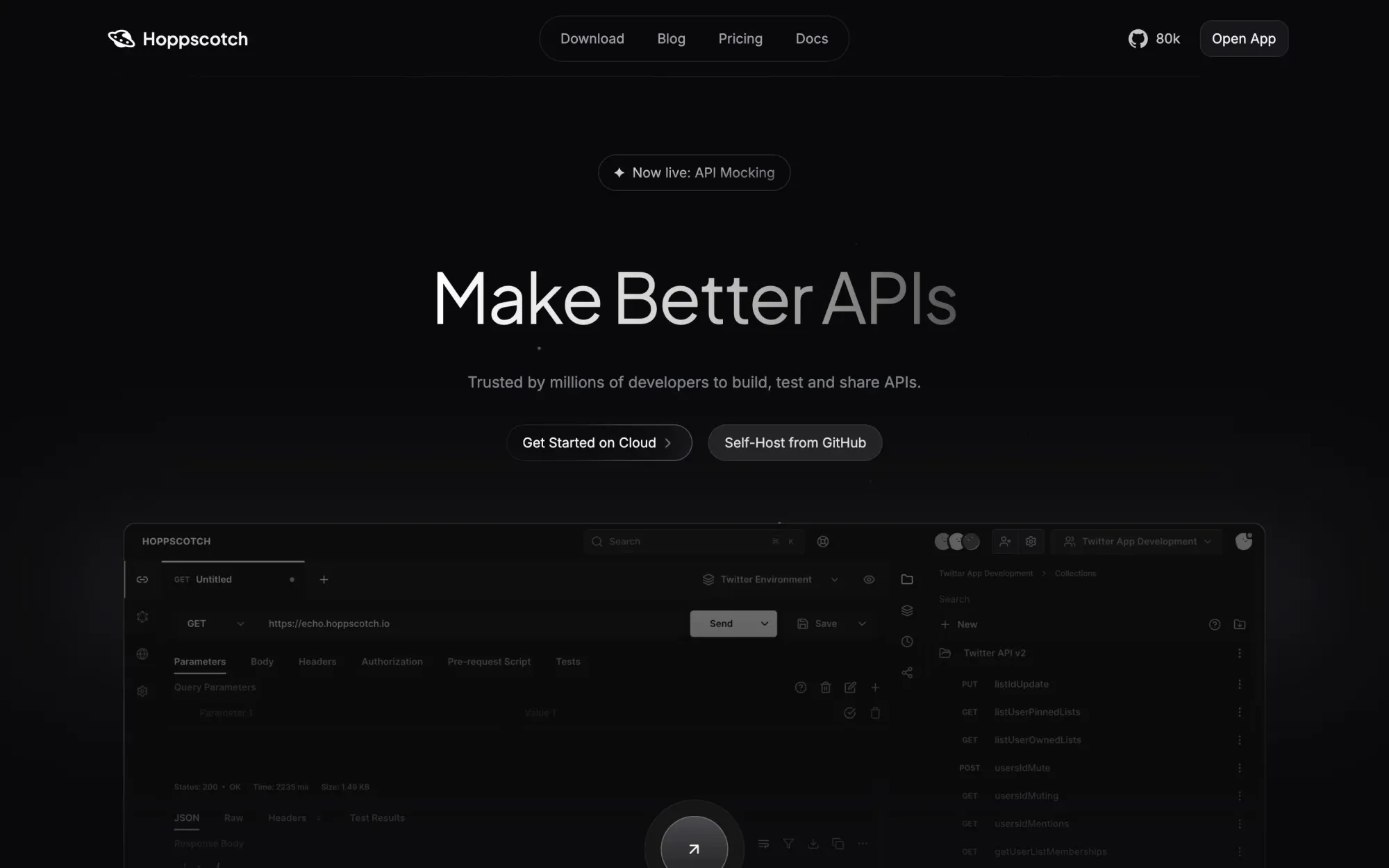
Hoppscotch
Hoppscotch is a developer-first, open-source API platform that helps you build, test, document, and share APIs faster with a modern API client, assertions, auth/header tooling, code generation, and a CLI for terminal automation. Trusted by millions and processing 5M+ requests monthly, it supports team collaboration with workspace activity tracking, SSO, and seamless migration from Postman/Insomnia/cURL. Platform-agnostic with proxy/interceptor support and local-first storage (no tracking, no analytics, no ads), Hoppscotch fits cleanly into any workflow from startup projects to enterprise stacks.
🎁 Resource

NuxtUI
If you’re building with Vue (or Nuxt) and you’re tired of stitching together half a design system, Nuxt UI is a pretty compelling “batteries included” component library: 125+ accessible, Tailwind-styled components that work in Nuxt and plain Vue setups (Vite, Inertia, SSR). What I like is how much it covers beyond just components—TypeScript types, light/dark mode, i18n-ready, and even huge Iconify icon access—plus the theming story is solid with CSS-first tokens/semantic colors and Tailwind Variants-style customization so you can actually bend it to your app without fighting defaults. Definitely worth a look if you want to ship a polished UI fast while keeping Tailwind-level control.
👌 Cool Stuff
⭐ PikaPods – Self-host your favorite open source apps in seconds. PikaPods runs them for you with automatic updates and backups, and shares revenue with the original developers. New accounts get $5 in free credit to try it.
Yerd – A tiny tray app to manage local PHP dev: multi-PHP, .test sites, DBs/caches, mail capture, and Laravel telemetry.
mailflare – A self-hosted, AI-powered email inbox on Cloudflare with custom domains, routing, sending, R2 attachments, and realtime.
TinyStart – A lightweight macOS launcher for apps, links, & emoji, with inline calc/conversions and zero telemetry.
Do you want to share something with the Tailwind CSS community?
You can submit a link or message me on Twitter @vivgui.
Want to support the newsletter? You can buy me a coffee with this link 😁.

Discussion