
Tailwind Weekly #213: v4.2 patch releases, Intl API deep dive, and a smarter way to build skeletons 🦴
Hello folks!
Two fresh Tailwind CSS patches landed in the past couple of weeks, ui.sh early access keeps rolling out with some pretty wild results, and we've got a stellar deep dive on the Intl API that'll probably let you delete a dependency or two from your project.
Now, onto the issue 👇🏻
🌟 News
ui.sh is picking up steam
The tea has been rolling out to early access folks more and more, and the reactions are pouring in. Dott shared that he built a full landing page in about 3 hours that would normally take him a full day, with images and prototypes generated by Codex and most of the design details automatically figured out.
On top of that, Adam's been showing off some seriously impressive brand concept generations using gpt-image-2, hinting at what they're planning to build on top of it. Still waitlisted? Hang tight, more invites are going out.
Tailwind CSS v4.2.3 and v4.2.4 are out
Two new patch releases dropped over the past couple of weeks. v4.2.4 is a tiny one that fixes @import and @plugin resolution with Vite aliases. v4.2.3 is the bigger one, packed with canonicalization improvements for the upgrade tool — collapsing things like px-[1.2rem] py-[1.2rem] into p-[1.2rem], merging border-{t,b}-* into border-y-*, and migrating start-*/end-* into the new logical inset-s-*/inset-e-* utilities, plus a few nice quality-of-life wins for the v3 → v4 migration.
🤩 Windy Picks

Stop wrestling with markup and focus on what matters—your business logic. We transform your designs into pixel-perfect Tailwind CSS code.
Led by seasoned developers Vivian and Daniela, we specialize in converting your PSD, Figma, Adobe XD, and Sketch files into good, responsive, and maintainable Tailwind CSS markup.
Complete our quick 3-minute form and receive a tailored quote within 24 hours.
📚 Learning

The Intl API: The best browser API you're not using
Chances are you’ve reached for Moment.js, date-fns, Luxon, or numeral.js when you needed to format a date, number, or currency, but this article makes a really strong case for using the browser’s built-in Intl APIs instead: 0 kB added to your bundle, no parsing cost, and it automatically formats things in a way that matches the user’s locale (which matters a lot more than people think, even if your UI is “only in English”). It walks you through what Intl is actually for (formatting, not calculations), the reusable “create a formatter once, use it everywhere” pattern, and then covers the practical pieces you’ll keep bumping into in real apps—Intl.DateTimeFormat, Intl.NumberFormat (including currencies and units), Intl.RelativeTimeFormat, plus some underused gems like Intl.ListFormat, Intl.PluralRules, Intl.Segmenter, and Intl.Collator for human-friendly lists, plurals, word/character segmentation, and correct locale-aware sorting. If you’ve got any UI that shows dates, prices, “x days ago”, lists, or sorted names/files, you’ll walk away with fewer dependencies, fewer subtle formatting bugs, and a bunch of copy/pasteable patterns.
SVG Filters Guide: Getting Started with the Basics
A great little deep dive into how you can get those “SVG-like” visual effects (smooth shapes, blends, masks, that sort of thing) without necessarily reaching for an actual SVG every time. It walks through what’s possible with modern CSS, where the limits are compared to true vector graphics, and the kinds of scenarios where this approach is a win (lighter markup, easier theming, fewer assets to wrangle).
4 Reasons That Make Tailwind Great for Building Layouts
Zell Liew argues that Tailwind shines for layout work because the “mental model” stays close to the HTML, you don’t have to invent vague class names like two-columns, and you can tweak things like gaps, column spans, and max-width per-context without creating a pile of modifier classes. The most interesting bit is a clever approach that uses CSS variables alongside small Tailwind-y utilities so the layout reads almost like a diagram (cols and spans become instantly obvious), plus a practical discussion of why seemingly nice grid values like 2fr 1fr don’t always map to “three columns” the way you think because of how fr interacts with gaps. Overall, it’s less “here are Tailwind classes” and more “here’s how to use Tailwind and CSS together so your layouts stay readable, flexible, and easy to change responsively.”
💅 Showcase

Smithsonian American Art Museum and Renwick Gallery
Smithsonian American Art Museum is the official site for SAAM and the Renwick Gallery, featuring current exhibitions, events, and stories from their collection. The layout does a nice job balancing big imagery with dense info, exhibitions, tour dates, featured events, and new acquisitions all coexist without feeling cluttered.
🎁 Resource
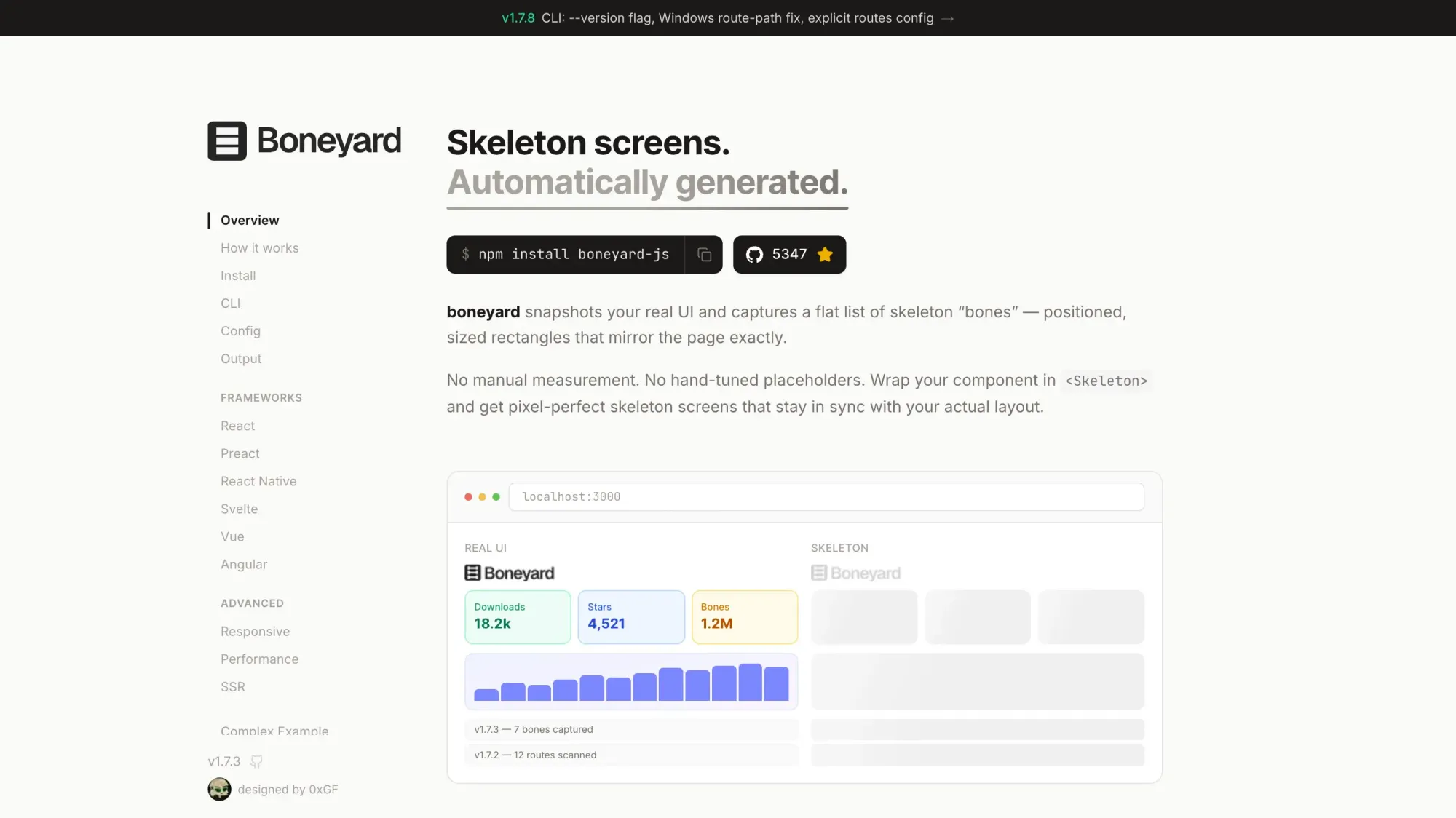
Boneyard
Skeleton screens are usually a pain to build and maintain, you hand-craft placeholder divs that approximate your layout and they go stale the moment you change anything. Boneyard takes a different approach: you wrap your component in <Skeleton>, run the CLI once, and it snapshots your real rendered DOM to generate pixel-perfect "bones" as static JSON. It auto-detects your Tailwind breakpoints, supports React, Preact, Vue, Svelte, Angular and React Native, and the runtime is only ~7.5KB.
👌 Cool Stuff
Windybase - Explore weekly curated free & premium Tailwind templates, components and tools to help you build modern websites and apps fast.
fakecloud – Local AWS emulator for integration tests using real SDK/CLI/IaC, plus test SDKs for assertions.
PanicLock – A macOS menu bar panic button to instantly lock your Mac and disable Touch ID until password unlock.
Port Menu – A macOS menu bar app to track your local dev servers across projects, with quick access to running URLs.
Do you want to share something with the Tailwind CSS community?
You can submit a link or message me on Twitter @vivgui.
Want to support the newsletter? You can buy me a coffee with this link 😁.

Discussion