
Tailwind Weekly #219: ui.sh goes local-first, mastering @property, and animations that actually feel good ✨
Hello folks!
This week ui.sh got a major makeover: the single /ui skill is being split into a whole lineup of local-first skills, which means more power and one less remote server to worry about. We've also got a couple of really good reads on animations and the @property deep dive that finally makes typed custom properties click.
Let's dive in 👇
🌟 News
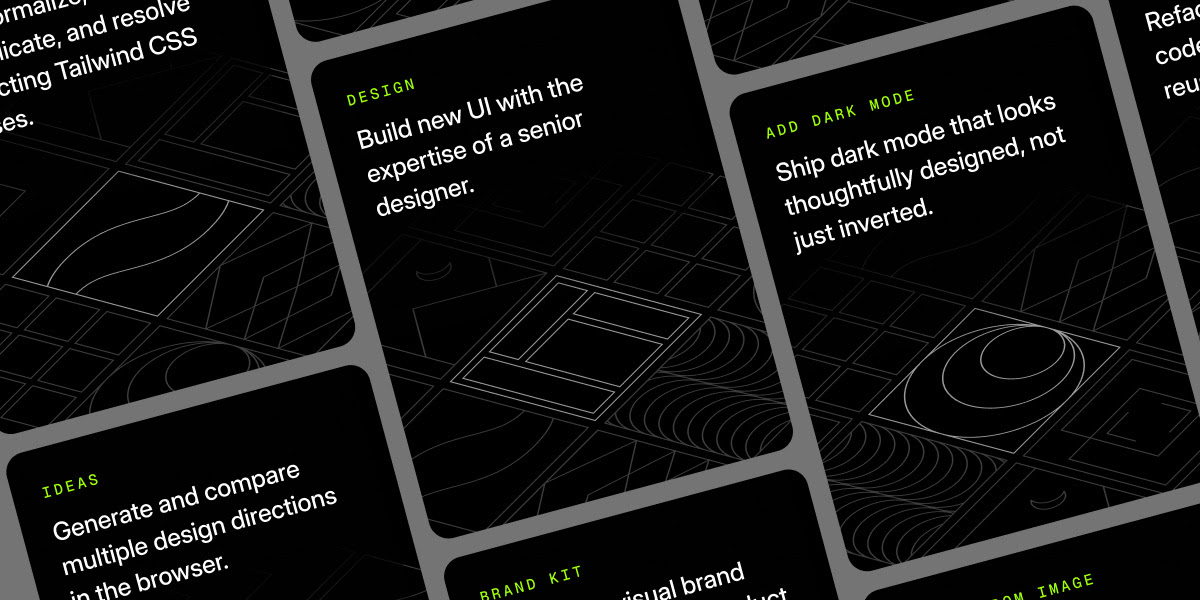
ui.sh just got a huge update
Instead of the single top-level /ui skill with subskills hiding underneath, the Tailwind Labs team is splitting everything into separate, locally installed skills — more discoverable, more capable, and no remote MCP server as a point of failure in your workflow.
The headliner is /design, which is the direct replacement for how you've been using /ui — it loads all the ui.sh rules around color, spacing, typography, and accessibility. But there's a whole lineup beyond it: /ideas triggers the UI picker for comparing concepts and palettes, /brand-kit taps OpenAI's gpt-image-2 for visual inspiration, /componentize breaks big markup blocks into well-factored components, /canonicalize-tailwind tidies up your class strings, /add-dark-mode and /dark-mode-image handle dark mode properly (not just inverting colors), /make-responsive adapts desktop UIs across breakpoints, and /markup-from-image turns screenshots and Figma exports into clean semantic HTML or JSX. The site also added real user accounts to make sharing docs easier for teams on commercial licenses.
🤩 Windy Picks

Wispr Flow has been my daily driver for a while now, but the dev-focused angle is what makes it so good. I pair it with Claude Code and Solo and just talk through what I want—Flow handles the camelCase, the snake_case, the acronyms, and dev terms like Supabase or MongoDB without mangling them. No more fixing transcription mistakes on every variable name.
The best part is how it stays out of the way. It works in any app—editor, browser, Slack, ChatGPT, Claude—so I can dictate a detailed prompt, knock out a PR summary, or fire off a quick reply from my phone without switching tools or breaking flow. It learns your vocabulary too, so the weird product names and project-specific words you say constantly stop getting misspelled.
If you spend your day typing prompts and context into AI tools, talking is just faster, and WisperFlow is the first dictation app I've used that actually keeps up with how developers write.
Try it free, and it works on macOS, Windows, iPhone, and Android, so you can flow wherever you code.
📚 Learning
Framework-agnostic design systems: a practical approach to web components
This is a very practical (and very long) guide to building a framework-agnostic design system component library with web components, then packaging it up and documenting it in the same repo, so you actually end up with something publishable instead of a bunch of half-finished “design system thoughts.” It walks through a solid setup using Elena for the component tooling and VitePress for docs, then uses a button component as the concrete example to cover the whole workflow: props, variants, semantic HTML (yes, a <button> is not a <div>), scoped styling, bundling, and even generating docs tables from JSDoc/custom elements manifests.
Good vs Great Animations
If you’ve ever added “a quick transition” and still felt like the UI looked a bit off, this article is basically the checklist for why. It’s a practical set of tips that goes beyond “add easing” and gets into what actually makes motion feel natural: making dropdowns animate from a believable origin (and how Radix/shadcn can handle that for you), picking the right easing depending on whether something is entering, leaving, or moving, and why the default CSS curves often feel a little lifeless compared to custom ones. It also covers when spring-based motion (think Framer Motion/Motion springs) makes interactions feel more real vs when animation is actually the wrong choice, plus a nice “know your tools” section that explains how the property you animate (not just the duration) can make or break the feel.
Taking a closer look at @property in CSS
Browser support for @property is basically getting to the “okay, we can start using this for real” stage, and this article is a great deep dive into what that actually unlocks beyond the usual Houdini buzzwords. It quickly re-caps the basics (what @property is and why typed custom properties matter), then gets into the good stuff: defining variable syntax types so invalid values fall back cleanly, setting default values properly, and controlling inheritance so your design system doesn’t accidentally leak styles down the tree. The author also shows why DevTools support is a big deal here (you can literally see what type the browser expects and where the variable was declared), and rounds it out with the fun, practical payoff—animations that previously “should work but don’t,” like smoothly animating hues, clip-path percentages, and even gradient colors.
💅 Showcase
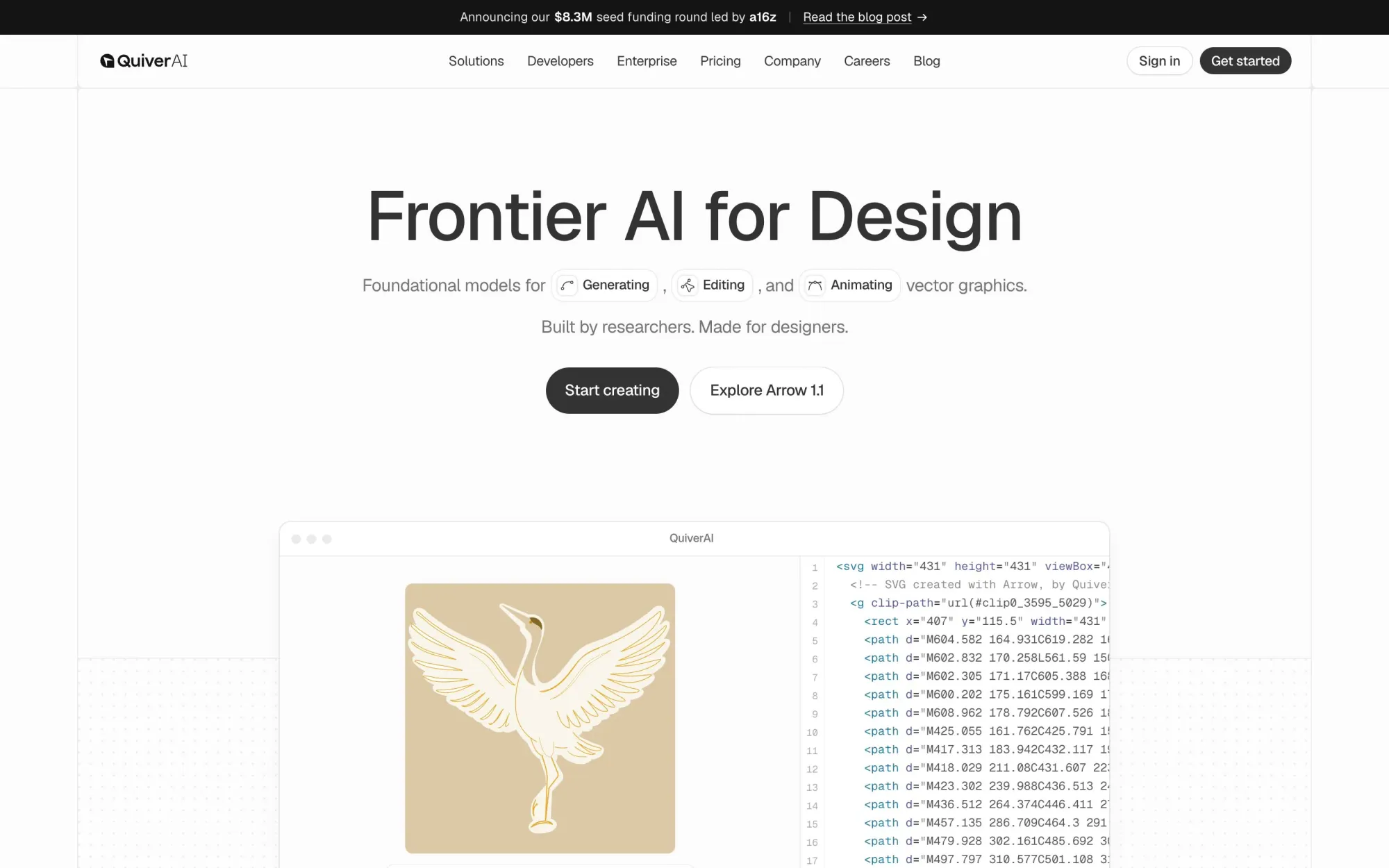
QuiverAI
QuiverAI is a frontier vector-graphics foundation model you can integrate to generate clean, production-ready SVGs like logos, illustrations, and (soon) typography and animations, from text or references. Built by researchers and made for designers, it gives developers precise, editable outputs that stay lightweight and controllable for UI, marketing, and product workflows.
🎁 Resource
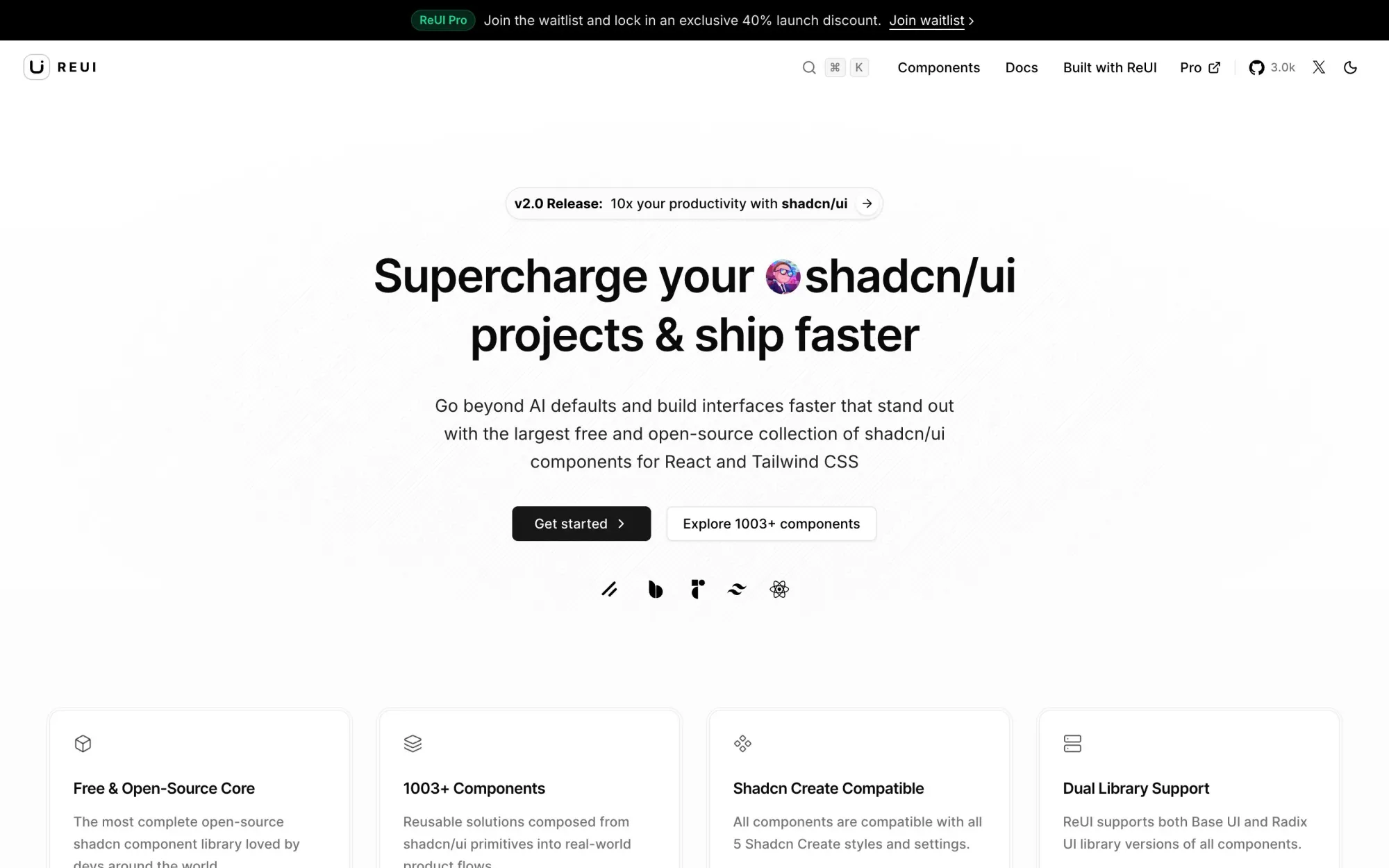
REUI
I’ve been poking around ReUI and it’s basically a massive, free/open-source “upgrade pack” for shadcn/ui projects — 1000+ ready-to-use components and patterns built from shadcn/ui primitives that you can drop into real product flows instead of reinventing the same tables, grids, uploaders, filters, and layout blocks every time. What I like is it stays compatible with Shadcn Create styles, supports both Radix UI and Base UI versions, and the whole site is geared toward helping you ship faster while still ending up with interfaces that don’t feel like the default AI-generated shadcn starter.
👌 Cool Stuff
Windybase - Explore weekly curated free & premium Tailwind templates, components, and tools to help you build modern websites and apps fast.
zot – A lightweight single-binary coding agent harness in Go with no Docker/runtime, built-in tools, and multi-model support.
Marked 3 – A Mac Markdown preview app with live rendering, proofreading tools, custom themes, and export to PDF/HTML/DOCX.
Peeker – A private macOS utility that shows a tiny live preview when someone walks behind you, on-device and offline.
Do you want to share something with the Tailwind CSS community?
You can submit a link or message me on Twitter @vivgui.
Want to support the newsletter? You can buy me a coffee with this link 😁.

Discussion